



















Face.Paint.Master
Jump into Face.Paint.Master and discover a playful world of face painting where creativity runs wild. This free browser game lets you explore endless brush tools and colors, layering designs to craft unique looks. It feels chaotic yet addictive, inviting you to keep experimenting with patterns and styles without any pressure.
What Stands Out
Face.Paint.Master shines as a vibrant Girls game focused on face decoration. You pick brushes and colors with your mouse, blending them for depth and variety. The visual style is colorful but simple, making every new design feel fresh and approachable. While the interface can feel cluttered and the opacity sliders tricky, the core joy comes from experimenting freely. It is a digital art sandbox where you can make faces look different, unique, and even hilarious. The game encourages you to explore patterns and layering, turning a casual browser experience into a creative playground.
Player Questions
How do I start painting in Face.Paint.Master?
Choose your tool and color, then use your mouse to paint directly on the face. Start with a brush size and apply from different angles to build up your design.
What makes this a good Girls game?
It focuses on cute, artsy face decoration with vibrant patterns and colors. The game fits the Girls genre by offering a playful space for creative expression.
Can I save or share my face designs?
Yes, you can save or share your designs once you finish. The process is meant to be smooth, letting you show off your best face art.
Are the controls easy to use?
The controls are basic and sometimes clunky, but the game guides you with simple mouse actions. Practice helps you manage the opacity sliders and blending.
Getting Started
Open Face.Paint.Master in your browser and begin by selecting a brush and color. Use your mouse to paint on the face, layering designs for depth. Experiment with different brush sizes and angles to add variety. Try trendy patterns to make your designs stand out. The game is free and runs online, so you can start creating right away. Focus on blending colors and adjusting opacity for the best results.
Ways to Play Better
Always experiment with layer blending for better depth. Use different brush sizes to add variety to your designs. Try trendy patterns to make faces stand out more. Save often to avoid losing your work if the app crashes or lags.
What Stands Out
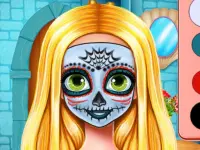
Jump into Face.Paint.Master and dive into a playful world of face painting where creativity runs wild. This free browser game offers endless brush tools and colors, SISTER HALLOWEEN FACE PAINT letting you layer designs to craft unique looks. The experience feels chaotic yet addictive, inviting you to experiment with patterns and styles at your own pace.
About this game
- Supported devices
- Desktop
- Genre
- Girls
- Release date
- 12 April 2020
- Rating
- No ratings yet
Cool Information & Statistics
Face.Paint.Master was added on April 12, 2020 and has been played 21 times since then. It is still waiting for its first player rating. Explore a vibrant world of face painting where creativity runs wild with endless brush tools and colors. Find more browser games on Kizi10.org, from newly published choices in New Games and selected picks in Best Games to refreshed titles in Updated Games.

BTS Poppy Playtime Coloring

Rapunzels Pregnancy

ROYAL WEDDING GUESTS DRESS UP

Bunny Devil

Ice Girl Makeover
SISTER HALLOWEEN FACE PAINT

DELICIOUS HALLOWEEN CUPCAKE DRESS UP

Celebrity Thanksgiving Prep

Baby Mermaid Caring Games
Baby Dream City Buildings

Baby Panda Train Driver
Baby Rescue Team

Baby Boss Back In Business

EyeArt Beauty Makeup Artist

Baby Panda Chinese Holidays

Supermarket Grocery Shopping
Baby Taylor First Aid
Baby-Taylor-Summer-Fun-Game
Girls Kaleidoscopic Fashion

Supermarket - Kids Shopping Game

Serve Restaurant Customers

My Unicorn Cat Princess Caring
Kids camping : Camping Adventure Game
Cheese Cake Homemade Cooking


