



















Holographic Trends
 Girls Games
2,081 Games
Girls Games
2,081 Games
 Color
97 Games
Color
97 Games
 Coloring
66 Games
Coloring
66 Games
 Colors
31 Games
Colors
31 Games
 Draw
25 Games
Draw
25 Games
 Drawing
16 Games
Drawing
16 Games
 Drawings
31 Games
Drawings
31 Games
 Tiana
28 Games
Tiana
28 Games
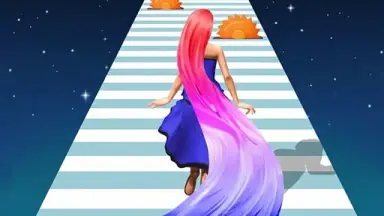
Holographic Trends turns coloring into a fast, glowing experience. You build holographic art with simple controls that make every layer feel intense and exciting.
What Stands Out
The game uses vibrant holographic visuals to make basic coloring feel dynamic and quick. You can switch modes, apply effects, and blend colors smoothly to craft stunning illusions. While mode switching can be slow at times, the core loop of layering and blending stays engaging. This is a great pick for anyone who loves Girls games and wants to try creative drawing games. The focus on color games lets you experiment with bold hues to make your designs pop.
Player Questions
What controls do I use in Holographic Trends?
You use buttons for styles, blending, and tool switching. These let you layer holographic colors and craft illusions with precision.
What is the main goal of Holographic Trends?
The goal is to craft holographic artworks efficiently by blending colors and using effects to create vivid, layered designs.
How do I improve my artwork in the game?
Experiment with layering and blending. Use bold colors and focus on the holographic effects to make your drawings stand out.
What features are most important for gameplay?
Modes, holographic effects, and blending options are essential. They help you switch tools and create detailed, eye-catching art.
Getting Started
Begin by selecting a mode and picking your colors. Use the style and blending buttons to layer holographic shades, then switch tools to refine your illusion. Try simple patterns first to learn the controls, then build up to complex designs. The process is quick and rewarding once you get the rhythm.
Ways to Play Better
Focus on bold color choices and smooth blending. Check tool responsiveness and practice mode switching to keep your workflow fast. Layer small details first, then expand to larger areas for better control.
What Stands Out
Holographic Trends transforms coloring into a quick, glowing activity. You assemble Graduation Makeup Trends holographic art using straightforward controls, making each layer feel bold and lively.

+1 Strength! Prison Escape!

Animal Fashion Hair Salon - Trendy Style

BFF GIPSY TRENDS

BFF Polka Dots Trend

BFF Two Piece Trends

Bffs Fall Fashion Trends

Design With Me Trendy Pencil Skirt

Dig It : Trending Hyper Casual Game

Fashion Dress Trend For Hawaii

Fill cubes : Trending Hyper Casual Game

Flood Fire Puzzle – Trending Hyper Casual Game

Friends Hippie Trends


