



















City Police Cars
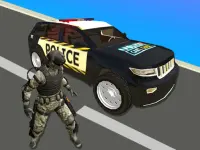
Get ready for a high-speed police chase through crowded streets. City Police Cars puts you behind the wheel in a fast-paced browser game where quick reflexes and smooth controls make every pursuit feel intense. Dodge traffic, drift around corners, and rack up points in this adrenaline-filled racing experience.
What Stands Out
This police chase game captures the racing genre with its focus on speed and vehicle handling. The urban chaos, vehicle upgrades, and free browser access keep it fresh. You pick a car, chase criminals, and weave through traffic. The physics can feel slippery, but mastering the drift is key. Its mobile racing games appeal comes from easy touch controls and compatibility, letting you play anywhere without commitment.
Player Questions
How do I control my car in City Police Cars?
Use WASD keys to drive, the spacebar for a boost, and the mouse for steering. The layout can feel awkward at first, especially when traffic piles up and turns get tricky.
Can I play City Police Cars on my phone?
Yes, it is safe and works on most mobile browsers. The game supports touch controls, making it easy to play on the go.
What is the main goal in this car game?
The core is high-speed pursuits. You chase bad guys, avoid obstacles, and upgrade your ride to last longer against tough traffic AI.
Does the game have multiplayer modes?
No, City Police Cars is single-player only. There are no official cheat codes; success depends on skill and smart upgrades.
Getting Started
Begin by selecting your police car from the garage. Jump into a chase and learn the basic controls. Focus on weaving through traffic and using boosts at the right moments. The game is free in your browser, so no download is needed. Start with lighter traffic to get a feel for the physics before tackling harder modes.
Ways to Play Better
Practice drifting around sharp turns to maintain speed. Upgrade your vehicle as soon as possible to handle tougher pursuits. If you experience lag on low-end devices, lower the graphics settings. Keep an eye on the tiny speedometer and focus on quick reflexes to avoid crashes and pedestrians.
What Stands Out
City Police Car Chase Game delivers a fast-paced browser experience where sharp reflexes and responsive steering make every pursuit feel intense. You pick a car, chase criminals, and weave through traffic in City Police Car Chase Game a living city. The physics can feel slippery, but mastering the drift is key. Touch-friendly controls keep it playable on the go, and free browser access means no downloads hold you back.
About this game
- Supported devices
- Desktop
- Genre
- Racing
- Release date
- 18 September 2019
- Rating
- No ratings yet
Cool Information & Statistics
City Police Cars joined the catalog on September 18, 2019 and has received 9 plays. It is still waiting for its first player rating. Experience the thrill of a high-speed police chase through crowded streets, where quick reflexes and smooth controls are essential for dodging traffic and drifting around corners. For more browser entertainment, visit Kizi10.org, discover recent additions in New Games, explore selected titles through Best Games, or revisit maintained releases in Updated Games.

Galactic Traffic

Galactic Driver

Police Car Drive
TopDown Police Chase 2023

Car Stunt Games - Mega Ramps 3D 2021

Crazy Traffic Racer

SuperCars Parking 2023

Speed Traffic 2021
Park The Taxi 3
Mafia City Driving Sim

Dangerous Money Road
Stunt Car Racing Games Impossible Tracks Master
Drift Racer 2021
SuperCar Stunts 2023

Parking Classic Car

Super Cars Stunts

Taxi Driver

Chained Cars 3D Impossible Driving
Real Drift Super Cars Race

SuperCars Crazy Racing 2023

The Cargo
Hummer Jeep Driving Sim

Car Demolition Parking Place Multiplayer
Police Car Chase Online


