



















memorize televisions
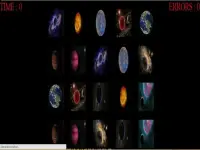
Jump into a fast-paced challenge where you memorize shifting screen icons and tap tiles before time runs out. This browser game mixes arcade memory with TV controls, and it is easy to start without downloads. Expect chaotic visuals, laggy inputs, and a tough but addictive loop that keeps you trying to beat your best.
What Stands Out
The game feels like a classic arcade memory test with a modern twist. Online memory games let you play instantly, and the timer keeps the pressure high. Icon placements can switch without warning, and hints flicker at random moments, which tests your focus. Controls rely on quick taps and swipes, but inputs can feel loose or laggy, so timing matters. Despite a cluttered interface and pixelated style, the core loop is sharp and rewarding. It is a fun brain game that pushes you to react fast and ignore distractions.
Player Questions
How do I play memorize televisions?
Tap or swipe tiles to reveal icons, memorize their positions, and match them before the timer ends. Use arrow buttons to navigate and toggle hints when needed.
What controls are used in this game?
You use tap gestures, clicks, and arrow keys to move between icons. Quick swipes and menu toggles help, but inputs can feel sensitive or sluggish at times.
Can I play without downloading anything?
Yes, the browser version of memorize televisions runs without downloads, so you can start playing instantly on most devices.
How do I win more levels?
Focus on memorizing the layout first, then react fast to match icons. Practice timing your taps and learn to ignore random hint pop-ups that break your flow.
Getting Started
Open the game in your browser and begin the free memorize televisions challenge. Tap tiles to see icons, then remember where they are. Use arrow keys to move your view and swipe to select. The timer counts down quickly, so stay focused and avoid distractions. If hints flicker, toggle them off to keep your attention on the icons. Practice a few rounds to get used to the controls and build your memory speed.
Ways to Play Better
Keep your eyes on the tile grid and ignore cluttered parts of the interface. Fine-tune your tap timing to avoid laggy inputs. Toggle hints off when they appear at bad moments. Replay levels to sharpen your memory and control skills, and aim to beat your best time.
What to Expect
Jump into a fast-paced test of memory and speed where you track shifting icons and tap tiles before the clock runs out. This browser game blends arcade-style recall memorize the planets with TV-inspired controls, and you can start instantly without downloads. Expect bold visuals, responsive taps, and a tough but addictive loop that keeps you chasing a new high score.
About this game
- Supported devices
- Desktop
- Genre
- Arcade
- Release date
- 24 September 2019
- Rating
- No ratings yet
Cool Information & Statistics
Since arriving on September 24, 2019, memorize televisions has recorded 8 plays. It is still waiting for its first player rating. Memorize shifting screen icons and tap tiles before time runs out in this fast-paced, chaotic arcade memory challenge. Kizi10.org brings together varied browser games; find recent arrivals in New Games, notable choices in Best Games, and refreshed releases in Updated Games.

memorize the boys

memorize the girls
memorize the planets

Crossy Miner

Tractor Parking Simulator Game 2022

Spider Man Motorbike

Mob Control
Spiderman Bike

Crush All

Fat OR Thin

Baby Day Market
FUN CAR DRIVE 3D

Sand Drawing Master

Hit Master 3D: Knife Assassin

Box Builder 56
Draw Rider

Monster-Truck-Park-1

Elliott From Earth - Space Academy: Meteor Hunter
Draw Climbing OMR
memorize the toys

Spins Master of Fidget Spinner

Taxi Parking Games

Knight Dash
Drive And Paint


