



















Burger Restaurant Express Guide: Orders, Timing and Kitchen Flow
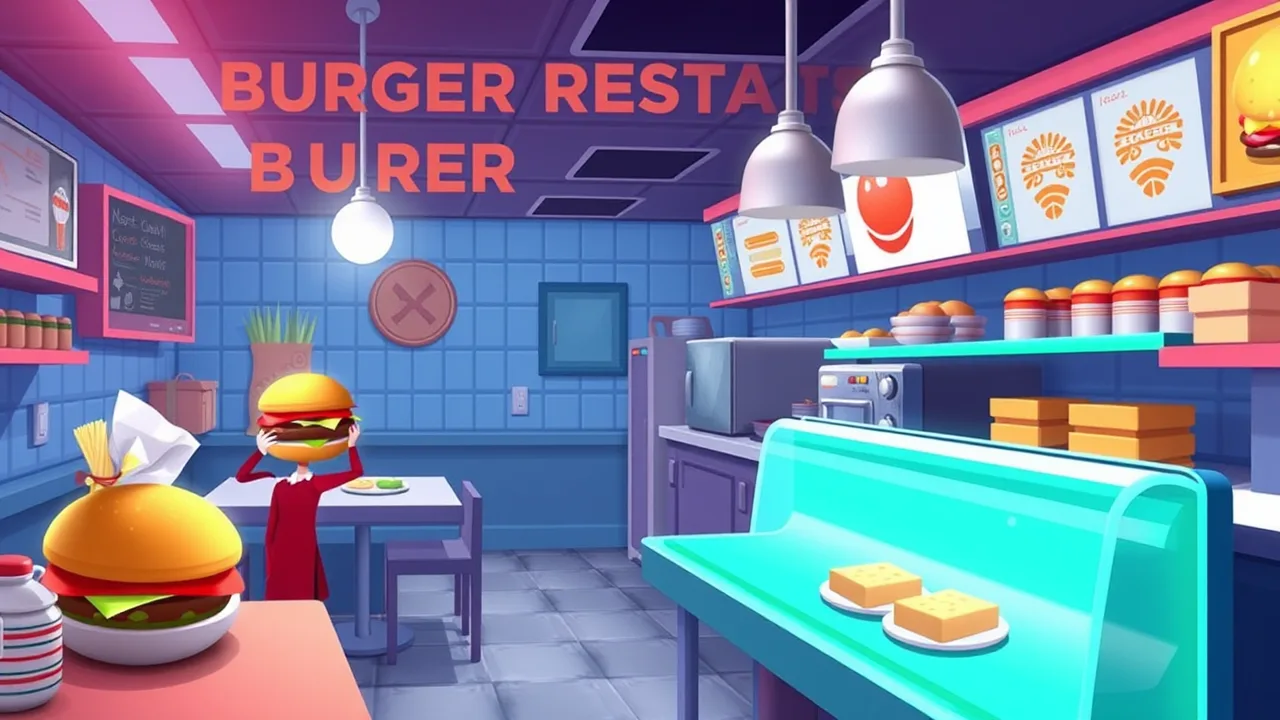
The busiest moment at a burger counter is usually not the best moment to decide what to do next. A customer is waiting, another order needs attention and the item under your pointer is easy to confuse with the one you meant to select. Burger Restaurant Express turns that everyday service problem into a browser game about reading requests, assembling the right food and keeping a manageable flow through the counter.
Start with Burger Restaurant Express on Kizi10. This guide focuses on a practical order-handling routine rather than promises about modes, upgrades or keyboard shortcuts. Follow the instructions shown by the game you load. Understanding its actual counter and order display is the first step; trying to memorise an imagined restaurant system will only make a busy shift more confusing.
Read an order before touching the ingredients
The order display is your reference for what the customer wants. Take a moment to identify the complete request instead of acting on the first recognisable ingredient. Rushing into assembly can leave you with an almost-correct item that still needs correction. It is usually easier to make an accurate selection once than to discover a missing part when you are ready to serve.
Build a small mental checklist from the information actually on screen. Identify the requested item, notice any visible additions and confirm which customer it belongs to. You do not need a complicated memory technique. You need to avoid replacing the current order with the one you expected to see. Similar-looking requests deserve a second glance because their differences are precisely what can cause mistakes.
Learn the layout during the quieter opening
Use the early part of a session to learn where the game places its ingredients, preparation areas and completed food. Move deliberately between those regions and watch the result of each action. Knowing the layout reduces the amount of searching you will do when several tasks compete for attention. Clicking quickly without that understanding can produce more movement without producing more finished orders.
Use the interaction demonstrated by the game's tutorial. Do not assume you need arrow keys or WASD simply because a previous description mentioned them. This is a counter-service cooking challenge, so the visible controls and feedback are more reliable than a borrowed list of commands. If an action has no effect, confirm what object you selected and what the game is asking you to do before repeating it.
Separate reading, preparation and delivery
Treat each order as a short sequence with a clear beginning and end. Read the request, prepare the required food, compare the finished item with the order and deliver it to the correct customer. That final comparison may feel slow at first, but it catches the sort of mistake that becomes much harder to diagnose once you have already moved on to another request.
When you switch tasks, remember which stage you have reached. A burger waiting for one more action is different from a completed item waiting to be served. If you keep both in the vague category of things that are almost finished, you will be more likely to overlook a step. Give yourself a precise next action for the order you are leaving, even if it is only to check the request again.
Prioritise the queue using the information displayed
Look at the customer's visible waiting or patience indicators where the game provides them. They help you judge urgency more accurately than the order in which you happened to notice each person. However, urgency is not the only consideration. A nearly completed request may take very little effort to finish, freeing your attention for a customer whose order will require more preparation.
Avoid turning this into an automatic rule to always serve the easiest order first. Repeatedly doing that can leave a longer request waiting without progress. Compare what is urgent, what can be completed now and what needs attention before it becomes a problem. Your aim is to keep the whole queue moving, not to make one corner of the counter look impressively tidy while another is neglected.
Multitask by remembering the next action
Useful multitasking is not the same as constantly changing your mind. It means using a moment when one task does not need an immediate input to understand what another task needs. Before switching, establish a reliable reminder: which customer the item belongs to, what is still missing and where you will resume. Without that context, returning to an unfinished item can take longer than finishing it in the first place.
When the counter feels overloaded, reduce the number of unfinished orders you are handling simultaneously. Complete one clear sequence and then reassess. Trying to begin every request can spread your attention across several half-finished items, making it difficult to tell which action matters next. A controlled workflow is more useful than a crowded counter full of work that has not reached a customer.
Recover from a mistake without adding another one
If the prepared food does not match the request, stop and identify the specific difference. Is an ingredient missing, is the item intended for another customer or did you misread the order? Use the correction or disposal action that the game actually provides, if one is available. Do not assume that extra clicking will convert the item into what the customer wanted.
After correcting the error, re-read the current queue. Time and attention have moved on while you were dealing with the mistake, so your old priority order may no longer be appropriate. This short reset is important. Otherwise, one incorrect burger can lead to a rushed delivery, then a second misread order, and soon it becomes difficult to separate the original problem from the new ones.
Improve speed by removing unnecessary searching
A useful speed improvement is often a reduction in hesitation rather than a faster click. Notice whether you repeatedly search for the same ingredient or move back to the order display because you did not read it completely. Practise recognising that specific part of the interface. Once its location and purpose are familiar, the action becomes easier without requiring frantic pointer movement.
Keep your eyes one decision ahead of your hand. While carrying out a straightforward action, identify the next required step from the request you already read. Do not let that become an excuse to skip confirmation of the current step. The objective is a smoother sequence, with each action producing the expected result, rather than a rapid series of inputs whose effects you only inspect afterwards.
Judge your progress by the error you removed
A final score or result gives you one kind of feedback, but it does not always explain how to improve. After a session, identify the recurring interruption that cost you the most attention. Perhaps you kept serving before checking the complete request. Perhaps you started too many orders at once. Perhaps you remembered ingredients correctly but lost track of which customer they belonged to.
Choose one of those problems for the next attempt. For example, deliberately check the customer and order again before every delivery. You may initially move more slowly while learning that habit, but the practice has a specific purpose. Once accuracy is dependable, work on shortening the pauses between steps. Trying to improve reading, memory, preparation and speed all at once makes it harder to see what is working.
What this guide does not assume about your version
The name Burger Restaurant Express does not establish every feature you may have encountered in another cooking game. Do not expect a particular relaxed mode, equipment upgrade tree, menu expansion or multiplayer option unless the current game explicitly presents it. The useful advice here concerns the service loop that you can observe: understand the request, prepare the correct food and manage the customer's wait.
The same caution applies to devices and input. Follow the controls that appear when your game loads, and check that the interface responds clearly before a busy section. A desktop mouse routine does not automatically prove that every phone browser provides the same experience. If the display or input is unclear, resolve that before judging your own speed against a result achieved under different conditions.
Explore burger games by their actual task
The burger games collection can help you find another food-themed challenge. Look at what each title asks you to do: serving a sequence of requests, preparing food or managing another part of a restaurant experience. Similar ingredients do not guarantee the same workflow. A familiar theme can make a new game inviting, while its individual rules still deserve your attention.
For your next Burger Restaurant Express session, concentrate on a dependable cycle: read completely, prepare deliberately, check the finished item and serve the correct customer. Use the queue's actual signals to decide what comes next. When an error happens, repair it and reassess rather than accelerating blindly. A restaurant runs more smoothly when every action has a clear purpose, and that is the habit this game gives you room to practise.