



















island survival 3d Master Every Move in 2025 🌴🧭
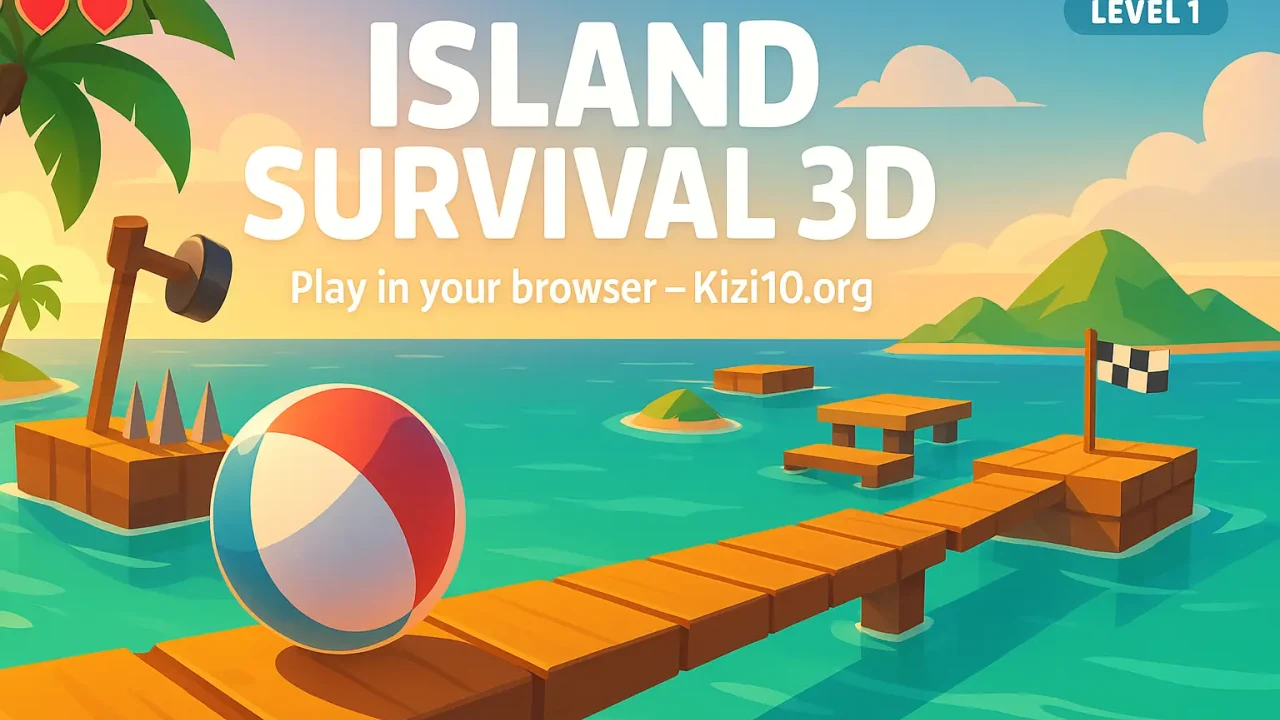
Looking for a quick, skill-based 3D challenge that you can open in any browser and start playing right now? island survival 3d is a fast, polished obstacle-course roller set on sunlit tropical platforms suspended over the sea. It’s all about precise movement, smart line choice, and nerves of steel as you guide a ball across narrow beams, moving traps, and cheeky hazards to reach the goal.
👉 Jump in here: Play Island Survival 3D on Kizi10.org no downloads, just click and roll.
🌊 What is island survival 3d?
At heart, island survival 3d is a 3D ball-roller obstacle game: you control a beach-ball and navigate from start to finish while staying on the track and avoiding spikes, spears, and other hazards. Most portals list 60 handcrafted levels, making it an ideal pick-up-and-play skill game with real depth and plenty of room for mastery. Expect tight turns, flimsy platforms, and the kind of near-misses that keep your palms sweating and your finger poised on the restart.
Core loop in one line:
Stay on the path → read the obstacle timings → keep momentum under control → reach the flag.
A few widely documented specifics across portals:
-
You steer a ball across island platforms and narrow walkways dotted with hazards.
-
Typical builds include 60 levels that progressively increase in difficulty.
-
Many descriptions mention lives and restarts when you fall or get popped by a trap (some versions restart the level; others resume from a last point).
-
Keyboard play is standard; on mobile, on-screen arrows are common.
🕹️ How to Play island survival 3d (Step-by-Step)
1) Launch & pick your level
Open the game page and hit play. Early levels teach the basics (straight lines, gentle bends, simple gaps). Later stages add multi-part sequences where you’ll line up several precise moves in a row.
2) Know your controls
-
Keyboard (Desktop/Laptop): WASD or Arrow Keys to move.
-
Camera: Drag/swipe (or move the mouse) to adjust your view angle critical for seeing what’s just beyond the next corner.
-
Mobile/Tablet: Tap the on-screen arrows and swipe to rotate the camera if available.
Pro tip: Bind your thumbs/forefingers to two keys only (e.g., A/D for lateral corrections) and use short taps rather than long presses feathering inputs keeps the ball stable on narrow beams.
3) Read the terrain
You’ll encounter:
-
Narrow planks over water line choice matters more than raw speed.
-
Spikes or spears time the gaps; don’t charge blindly.
-
Moving platforms wait a beat, then roll with the motion rather than against it.
-
Ramps and angle changes momentum spikes quickly; brake with light counter-inputs.
-
Collectibles (in some versions) diamonds or coins along the safest or riskiest paths.
4) Manage risk & lives
If you fall or hit a hazard, you’ll typically restart the level or return to a last point, and you may lose a life depending on the build you’re playing. Early on, don’t chase every collectible; learn the safest racing lines first, then optimize.
5) Advance & iterate
Because there are many short levels, treat each one as a micro-puzzle: plan your line, take a calm first pass, and then replay for a cleaner time or extra pickups.
🧠 Top Tips & Pro Strategies (Beginner → Advanced)
🎯 Fundamentals: balance beats speed
-
Feather your inputs. Micro-taps keep the ball centered; long presses overshoot and cause panic corrections.
-
Center before obstacles. Hugging one side feels faster until a bump dumps you into the sea.
-
Camera first. Nudge the camera before you roll seeing the next hazard a half-second earlier is often the difference between a clean run and a reset.
🧭 Line choice & “apexing” turns
-
Think like a racer: wide → tight → wide lines through bends minimize steering.
-
On S-curves, reset your line on the small straight between bends. Don’t try to snake endlessly; break the problem into mini-segments.
🛑 Braking without a brake
Most versions don’t have a dedicated brake. To slow:
-
Counter-steer slightly into the opposite direction to bleed momentum.
-
Tiny zig-zags on a straight can scrub speed but practice this in safe zones first.
⏱️ Hazard timing & cycle reading
-
Count the beats. Spikes rarely fire randomly watch for two cycles, then roll.
-
Move with platforms. When a platform glides away from you, roll onto it as it approaches your velocity vectors add up and it feels smoother.
-
Commit or reset. Half-commits cause late corrections; if a cycle looks bad, back up and re-sync.
🧰 Micro-skills for narrow beams
-
Anchor the camera so the plank runs from bottom center to top center of your view; this makes deviations obvious.
-
Use shadows on bright levels to judge depth and edge distance.
-
Pause-and-set: break a long beam into “checkpoints” (visual cues on the texture) and stop briefly on each to re-center.
🪙 Collectibles: greed with discipline
If your build includes diamonds/coins, route them after you’ve learned the safe line. Many pickups sit on outer edges that amplify tiny steering errors. A two-pass strategy (gold later) actually clears levels faster overall.
📱 Mobile-specific advice
-
Increase touch sensitivity in your OS if your swipes feel sluggish.
-
Keep your thumbs just off the on-screen arrows (hover) to reduce travel time.
-
Landscape lock your device so orientation changes don’t ruin a run.
⌨️ Keyboard mastery
-
Choose one hand for lateral corrections and the other for forward momentum; don’t mash all four keys at once.
-
Consider ESDF if you prefer your wrist more centered tiny ergonomics changes payoff in precision.
🧩 Level-by-level process
-
Scout with slow rolls and camera nudges.
-
Solve the hardest section in isolation (approach, stop, practice the sequence).
-
String the pieces together in a clean, no-panic run.
-
Optimize only after you’re consistent.
🔁 Why island survival 3d Is So Addictive
-
Instant restarts, instant learning: Levels are short; mistakes teach fast.
-
Pure skill expression: There’s no XP tree or pay-to-win just your hands and the course.
-
Visible improvement: Yesterday’s “impossible plank” becomes a warm-up today.
-
Flow state friendly: The mix of gentle camera nudges and feathered inputs creates a satisfying rhythm you can ride for long sessions.
-
60-level progression: A clear runway for mastery without bloat.
🗺️ Complete Walkthrough Mindset (from Level 1 → Late Game)
Early Levels (1–15): Learn control & camera
-
Practice micro-taps and center lines.
-
Use safe pauses there’s no global time limit in some builds, so patience is allowed.
Midgame (16–40): Moving pieces & multi-hazard chains
-
Begin cycle counting out loud: “one-two-go.”
-
Pair camera set-ups with each move (e.g., “swing camera right → two taps forward → tiny left tap to re-center”).
-
Start routing any optional pickups that sit near the safe path.
Late Game (41–60): Tight lines & pressure
-
Expect longer beams with micro-texture cues use them as informal checkpoints.
-
Treat every tricky section as plan-execute-recover:
-
Plan the line and timing.
-
Execute with decisive inputs.
-
If you wobble, stop and re-center; don’t try to “save” a bad angle mid-beam.
-
⚠️ Common Mistakes (and Quick Fixes)
-
Over-steering on narrow planks → Switch to tap-only corrections; avoid continuous key holds.
-
Charging into hazard cycles → Wait one extra rhythm; your clear rate improves instantly.
-
Fighting the platform’s motion → Step on with its direction; it’s easier to stabilize.
-
Ignoring the camera → Every hard section starts with a camera nudge; build the habit.
-
Going for every coin (where present) → Learn safe lines first, then route extras.
🎮 Similar Games/Blogs You’ll Love
If you enjoy precision movement, obstacle courses, or survival-style pressure, these real pages from your network are great next stops:
-
Granny 2 Unblocked – Master Every Move in 2025 (No Download) – Horror-style survival where timing and nerves matter.
-
Shadow World Adventure – Master Every Move in 2025 – Action-platforming with tight movement and learnable patterns.
-
Ninja Warrior: Shadow of Last Samurai (Play) – Precision runs and trap timing in a combat-tinged platformer.
-
Choo Choo Charles: Match Up (Play) – Spooky, survive-the-threat vibes for fans of tension.
-
Blocky Gun Paintball 2022 (Play) – Arcade shooting with movement discipline and line control.
(All links above were pulled from our recent chat history and are valid across your sites.)
💡 Why Play island survival 3d on Kizi10.org?
-
Zero-install, browser-ready: Open the page and play perfect for quick sessions or sharing a link with friends.
-
Fast loads + clean layout: Spend more time rolling, less time waiting.
-
Mobile-friendly: On-screen controls make the game accessible on phones and tablets.
-
Curated catalog: It sits alongside other quick-to-learn, hard-to-master picks your audience already lovesPlay Island Survival 3D on Kizi10.orgval-3d">Play Island Survival 3D on Kizi10.org and see how far your hands can take you.
✅ Conclusion
island survival 3d is proof that a great browser game doesn’t need complex systems to be compelling. With tight controls, clean obstacle designs, and 60 levels that steadily ramp up the challenge, it’s an easy recommendation whether you have three minutes or three hours. Master your camera, feather your inputs, and learn to love the rhythm of hazard cycles. The island won’t forgive sloppy lines but it absolutely rewards calm execution.
When you’re ready to put youPlay Island Survival 3D on Kizi10.orgvival-3d">Play Island Survival 3D on Kizi10.org. Happy rolling!
❓ FAQ (island survival 3d)
1) How many levels are there?
Most versions list 60 levels, offering a substantial progression for a compact skill game.2) What are the default controls?
On desktop, use WASD or Arrow Keys to steer; drag or swipe to rotate the camera. On mobile, most builds provide on-screen arrows.3) Is there a time limit?
A common build notes no global time limit, which lets you pause and line up tricky sections without pressure.4) What happens if I fall or hit a hazard?
You’ll restart (either from the beginning or a last point, depending on the portal) and may lose a life. Use that reset to re-read obstacle cycles before your next attempt.5) Any quick trick for narrow beams?
Yes set the camera first so the plank runs straight up your screen, then tap-only to stay centered. If you drift, stop, re-center, and continue in short bursts.